
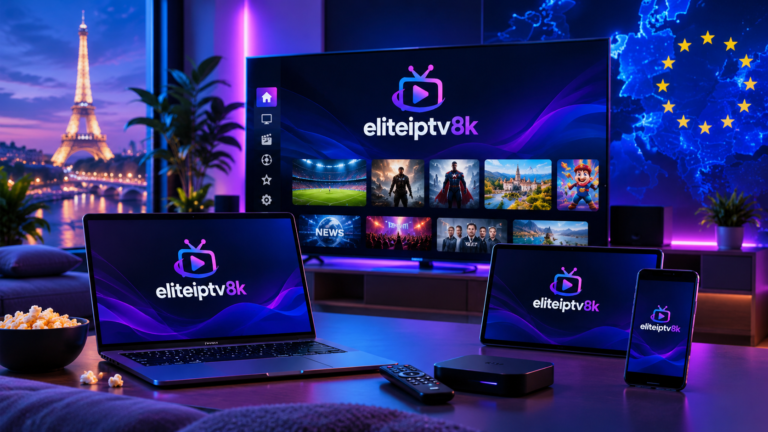
Choosing the right IPTV subscription requires more than comparing prices. A good IPTV service should match your preferred channels, devices, streaming quality, VOD requirements, support needs, and viewing habits.
Before paying for an IPTV plan, it is useful to ask the right questions. This guide covers the most important points to check so you can understand what an IPTV service actually offers and whether it is compatible with your setup.
What Is an IPTV Subscription?
An IPTV subscription provides access to television or video content delivered through an internet connection. Unlike traditional broadcast methods, IPTV uses internet-based delivery to stream live TV, video-on-demand content, and other media.
The exact channels, features, quality, applications, and supported devices depend on the IPTV provider and the subscription plan.
Important: IPTV is a technology for delivering content over the internet. The legality of a particular IPTV service depends on the content rights, licenses, and applicable laws in the relevant country.
For a general explanation of internet protocols and how internet communication works, you can consult Cloudflare's guide to Internet Protocol .
25 Questions to Ask Before Buying an IPTV Subscription
What Channels Are Included in the IPTV Subscription?
Check whether the service includes the channels you actually watch. Look for information about local channels, international channels, news, entertainment, movies, and sports.
You can also review the Elite IPTV 8K Channels List to explore the available channel categories.
Is an IPTV Free Trial Available?
A trial can help you evaluate streaming quality, channel availability, application compatibility, and overall performance before committing to a longer plan.
Does the IPTV Service Include French Channels?
If you regularly watch French television, verify that the subscription includes the French channels and content you need.
For more information, visit our IPTV France page.
Are Sports Channels Available?
Sports availability can vary considerably between IPTV services. Check the channel list and confirm that the sports categories or competitions relevant to you are available.
Does the IPTV Subscription Include VOD?
Some IPTV plans may include video-on-demand content in addition to live television. Check whether movies, series, or other VOD categories are included in your selected plan.
Does IPTV Support 4K?
If image quality is important to you, check whether the service provides HD, Full HD, or 4K streams and whether your device and internet connection can support the selected quality.
Does IPTV Work on Smart TV?
Many IPTV applications are designed for compatible Smart TV platforms. However, compatibility depends on the operating system, application, and IPTV provider.
Always confirm the supported application before purchasing a plan.
Does IPTV Work on Fire TV or Android TV?
If you use a streaming device, verify that the IPTV application you plan to use is compatible with your platform.
You can also learn more about the Android TV platform through the official Android TV website .
Can I Watch IPTV on a Smartphone?
Depending on the service and application, IPTV can be available on compatible smartphones. Check whether the required app supports your operating system before subscribing.
Can I Use IPTV on a Computer?
Some IPTV services can be accessed through compatible applications or media players on computers. Check the provider's setup instructions for supported operating systems and applications.
How Many Devices Can I Use With One Subscription?
Device limits vary between IPTV providers and plans. Before purchasing, check whether the subscription is intended for one device or supports multiple devices under the provider's terms.
Does IPTV Offer Catch-Up or Replay?
Some IPTV platforms may provide replay or catch-up features for selected channels. If this feature matters to you, verify its availability before subscribing.
How Often Is the Channel List Updated?
Channel availability can change over time. A provider should make reasonable efforts to maintain and update its channel information. Check the latest channel list before choosing a plan.
What Internet Speed Do I Need for IPTV?
Required internet speed depends on video resolution, network conditions, device performance, and the number of simultaneous streams.
A stable connection is generally more important than simply having a high advertised download speed.
What Happens If IPTV Does Not Work?
Before buying, check the provider's troubleshooting process. Useful support should explain how to handle login issues, application setup, buffering, connection problems, or channel availability issues.
Does the IPTV Provider Offer Customer Support?
Customer support can be important when setting up a new service. Check which support channels are available and when assistance can be requested.
How Quickly Will I Receive My IPTV Details?
Ask how subscription credentials or activation instructions are delivered after payment. The provider should clearly explain the activation process.
What Payment Methods Are Available?
Check the payment methods accepted by the provider and make sure you understand the price, subscription duration, and any applicable terms before completing a purchase.
How Long Does an IPTV Subscription Last?
IPTV plans can have different durations, such as monthly, quarterly, or annual subscriptions. Compare the duration with your actual viewing needs.
Can I Use IPTV While Travelling?
If you travel frequently, check the provider's terms and whether the service is available on your intended device and network. Geographic restrictions may also apply.
Do I Need a Specific IPTV App?
IPTV services may work with specific applications or supported players. Before subscribing, confirm which applications are recommended and whether they are compatible with your device.
Do I Need a VPN for IPTV?
A VPN is not automatically required for every IPTV setup. The need depends on your network, location, privacy preferences, and the provider's requirements.
A VPN does not make unauthorized access to copyrighted content lawful. Always use IPTV services and content in accordance with applicable laws and licensing requirements.
Does IPTV Offer HD, Full HD or 4K?
Streaming quality varies by provider, channel, content source, device, and network conditions. If high resolution is important, confirm the quality available for the channels you plan to watch.
Is IPTV Easy to Install?
Setup can be straightforward when the service provides clear installation instructions and supports your device. Before buying, check the setup process for your Smart TV, streaming device, smartphone, tablet, or computer.
How Do I Choose the Right IPTV Plan?
Choose a plan based on the channels you need, supported devices, video quality, VOD requirements, subscription duration, customer support, and the provider's terms.
Avoid choosing a plan based only on the number of channels or the lowest price.
IPTV on Smart TV, Phone, Laptop and Tablet
One important part of choosing an IPTV subscription is checking device compatibility. Your preferred viewing device should be supported by the IPTV application or player recommended by the provider.
Smart TV
Smart TV users should check the operating system and compatible IPTV applications before subscribing.
Fire TV and Android TV
Streaming devices can provide a convenient way to access IPTV, but application availability and setup requirements can vary.
Smartphone and Tablet
Mobile devices can be useful when you want to watch content away from your television. Check application compatibility with your mobile operating system.
Laptop and Desktop
Depending on the service, IPTV may be available through a compatible application, media player, or supported web-based solution.
IPTV France and European Content
Viewers interested in French and European television should check the exact content included in an IPTV subscription rather than relying only on general claims about channel numbers.
If French programming is your priority, you can explore our IPTV France page for more information about the French-focused offering.
You can also review the European IPTV channels list to understand the categories and markets covered.
What Should You Test During an IPTV Trial?
If a provider offers an IPTV free trial, use the trial period to test the features that matter most to you instead of checking only whether the service starts playing.
- Check the channels you watch most often.
- Test video quality at different times of day.
- Check live TV and VOD if both are included.
- Test the service on your preferred device.
- Check channel switching speed.
- Test the application's navigation.
- Check whether support responds to questions.
- Review the subscription terms before purchasing.
What Should You Check Before Paying for IPTV?
Before purchasing an IPTV subscription, review the service carefully. Price is only one part of the decision.
- Channel selection matches your viewing needs.
- Your preferred device is supported.
- Video quality meets your expectations.
- VOD availability is clearly explained.
- The subscription duration is clearly stated.
- Payment terms are understandable.
- Customer support is available.
- Trial information is clearly explained if offered.
- Refund or cancellation terms are visible.
- The service operates according to applicable laws and licensing requirements.
How to Choose an IPTV Subscription
The right IPTV plan depends on your personal viewing requirements. Instead of focusing on a single feature, compare several factors together.
1. Start With Your Channels
Make a list of the channels and categories you actually watch. This makes it easier to compare different IPTV plans.
2. Check Device Compatibility
Confirm that your Smart TV, streaming device, phone, tablet, or computer is supported.
3. Consider Streaming Quality
If you have a compatible display and stable connection, check whether the plan provides the video quality you want.
4. Review Support and Setup
Clear setup instructions and accessible customer support can make the onboarding process easier.
5. Compare Subscription Duration
Choose a subscription period that matches how you intend to use the service. Avoid paying for a longer period without first understanding the service and its terms.
Frequently Asked Questions About IPTV Subscriptions
What is an IPTV subscription?
An IPTV subscription provides access to television or video content delivered through an internet connection. The channels, features, devices, and content available depend on the provider and plan.
What should I check before buying IPTV?
Check channel availability, supported devices, video quality, VOD content, subscription duration, customer support, payment terms, and applicable licensing or legal requirements.
Can IPTV work on Smart TV?
IPTV can work on compatible Smart TV platforms when a supported application or player is available. Compatibility should be confirmed before subscribing.
Does IPTV include French channels?
Some IPTV services provide French channels. Check the provider's current channel list to confirm the specific French content available.
Does IPTV include VOD?
Some IPTV plans include video-on-demand content, while others may focus primarily on live television. Always check the plan details before purchasing.
Is an IPTV free trial useful?
A trial can help you test channel availability, streaming quality, device compatibility, application performance, and support before purchasing a longer subscription.
Do I need a VPN for IPTV?
A VPN is not automatically required for every IPTV setup. Requirements depend on your network, location, privacy preferences, and the provider's terms. A VPN does not make unauthorized access to copyrighted content lawful.
How do I choose the right IPTV plan?
Compare the channels, devices, video quality, VOD availability, support, subscription duration, price, and terms. A trial can also help you evaluate the service before committing.
Final IPTV Subscription Checklist
Before completing your purchase, use this quick checklist:
- My preferred channels are included.
- The service supports my device.
- The available video quality meets my needs.
- VOD is included if I need it.
- I understand the subscription duration.
- I know how activation and setup work.
- I know how to contact customer support.
- I understand the payment and cancellation terms.
- I have tested the service if a trial is available.
- The service and content comply with applicable laws and licensing requirements.
Ready to Explore Your IPTV Options?
If you are comparing IPTV services, start by checking the available channels, supported devices, content categories, and subscription options.
Explore IPTV Channels